Launch a profile service on your node and manage your subscription.
Services & Billing - node.you
This guide explains what node services are, how to launch them, and how billing works.
You are not required to launch a service to participate in the node.you platform. For participation like following to compose your feed and getting verified to interact with others, all you need is a node! Read the quick start guide to create your first node.
What are services?
Services are web-hosted systems that you launch and connect to your node. These systems can have specific features available only to you and those you verify.
Each active service runs as a containerized, independent API and database.
For now, the only available service is the profile service that enables posting. More services are planned.
Hosting services
You can either let us host your services or host them yourself.
See the Self-Hosting Overview for the full setup guides. All server-side code is open source.
| Hosting with node.you | Self-hosting |
|---|---|
|
|
Launch a profile
Select the Services tab on your account dashboard, then select Launch a new service at the bottom and choose the Profile card. Pick which of your nodes the profile should be launched on.
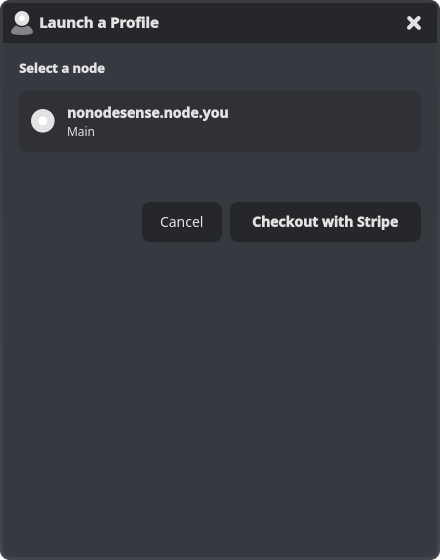
How checkout works depends on your platform:
Desktop and web: select
Checkout with Stripeand complete your subscription in the hosted Stripe checkout.
Android: select
Continueand complete the purchase in the Google Play sheet.
Launching another service later adds it to your existing subscription. On Stripe the button reads Add to Subscription: the app first shows exactly what you'll be charged (the prorated cost for the rest of the billing period, or no charge if your plan has an unused seat), and nothing is billed until you confirm. On Google Play the purchase sheet reopens with a prorated upgrade.
Once payment completes, the dialog waits for your profile to finish launching, then closes on its own with the new service showing on your dashboard.
Subscriptions billed through Google Play support a maximum of five active profile services per account.
Manage your billing
Your subscription is managed where you started it. The Manage Billing button at the top of the Services tab takes you to the right place: the Stripe billing portal on desktop and web, or your Google Play subscriptions on Android.
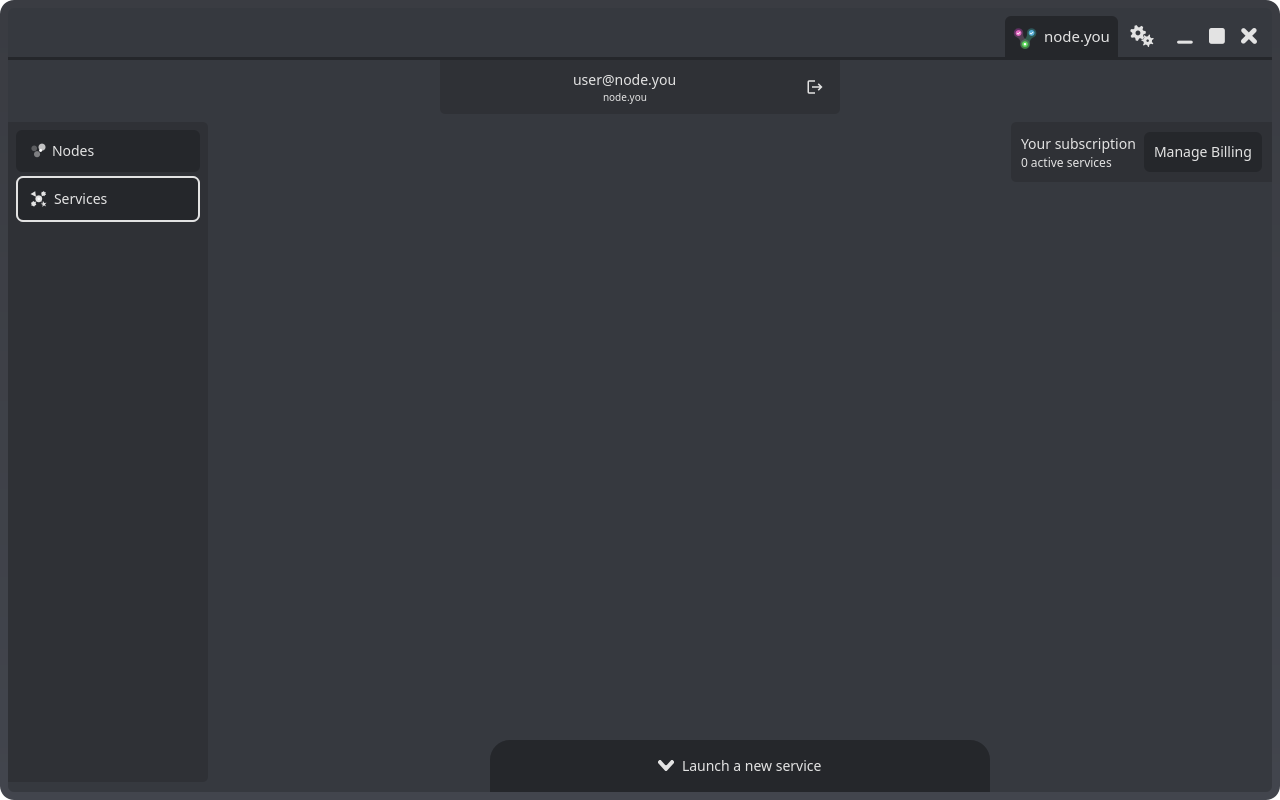
If you started your subscription on one platform and open the app on the other, the launch dialog points you back to the platform that manages it.
Use your billing portal to change or cancel your subscription. Payment questions are covered in the profile service terms.
Delete your account
You can permanently delete your account from Settings, under the Account tab. Deleting your account removes your nodes, services, and associated data. This cannot be undone.
What next?
Consider learning about the profile service that enables posting.