

 Docuriser
Docuriser is a desktop app and CLI that generate static documentation websites. You describe a site and its projects in a few small JSON configs, write your guides in Markdown, and Docuriser builds the whole thing: project pages, versioned documentation bundles, C++ API references parsed straight from your headers, license and policy pages, and the navigation tying it together. The output is plain static HTML: self-contained, relative-URL, openable straight from disk or served by any static host.
✨ This project is developed with AI-assistance. Please refer to our AI policy.
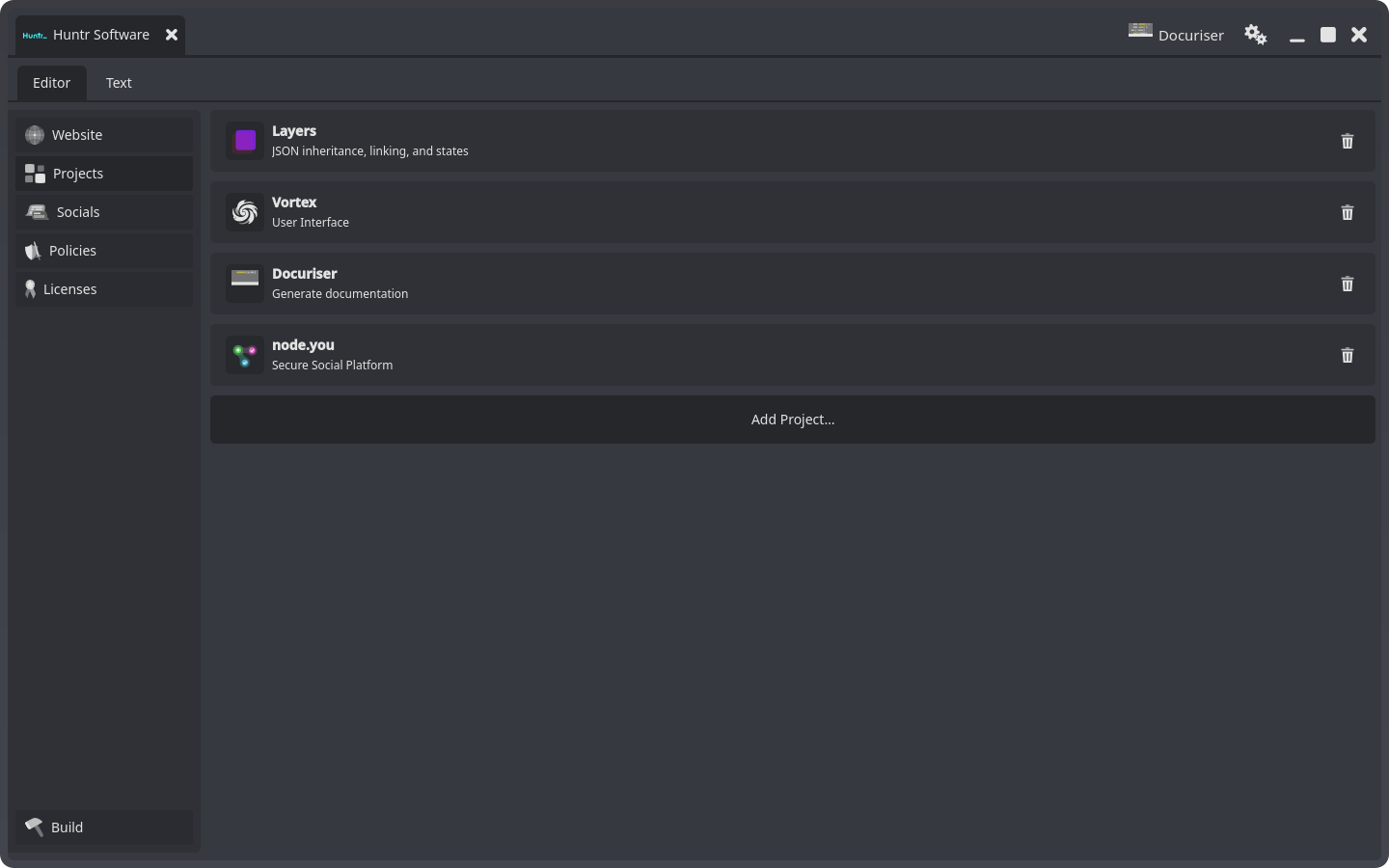
How it works
A website is a directory with a .docuriser-site config: title, branding, socials, policies, and a list of projects. Each project is a .docuriser-project config pointing at your local source checkout, and the checkout carries its own build recipe: a .docuriser manifest at the repository root naming the README, the license file, the Markdown topic guides, and (for C++ projects) the include directories to parse with libclang. Versions come from the repository's git tags: include a version and Docuriser builds its docs (API reference pages, topics, README, license) from a snapshot of that tag, so every published version matches a release exactly and documentation fixes ship as patch tags. Related projects group into families: an umbrella page with switchable members, like a platform and its clients.
The desktop app (built on Vortex) is the way to work day-to-day: two configurators cover both config schemas end-to-end, with live editors for every Markdown file the site references, and a versions table that reads your tags. The CLI drives the same engine for scripts and CI, and the app itself shells out to it for every build, so the two never disagree.
Generated pages get the Universal Vortex chrome: themed (dark/light plus accents), responsive, with a titlebar, sidebar navigation, and a version switcher. All static, no JavaScript framework, no server requirements.
Quick start
Requirements: CMake 3.22+, a C++17 compiler, Qt 6 (Core, Gui, Widgets, Svg, Network; Multimedia optional) for the desktop app, and libclang (any LLVM install providing clang-c/Index.h) for C++ API parsing. The JSON and templating libraries are vendored, and the Vortex framework comes in as a submodule, so clone recursively:
git clone --recursive https://codeberg.org/HuntrSoftware/docuriser.git
cd docuriser
cmake -B build
cmake --build build -j
Both executables land in bin/:
bin/docuriser-desktop     # the app
bin/docuriser-cli         # the command-line companion
Launch the app and click New Website: the dialog scaffolds a working starter site you can build immediately from its Build panel. Prefer the terminal? bin/docuriser-cli site init ./my-site scaffolds the same starter, and bin/docuriser-cli site build ./my-site/.docuriser-site builds it.
Documentation
The full guides (getting started, websites, projects, topic authoring, families, versions, the CLI, and a complete configuration reference) live in guides/ and are published at huntrsoftware.com/docuriser. Docuriser's own docs are built by Docuriser, from this repository's README.md and guides/.
License
Docuriser is released under the MIT License: see LICENSE.
The sites Docuriser generates belong to their authors. Your content, your license: Docuriser claims nothing over its output. The only Docuriser-owned bytes in a generated site are the runtime assets it copies in (the stamped uv_* stylesheets and shell script, plus framework images), which remain MIT-licensed wherever they land. A notice, not an encumbrance.