Your profile page: posting with Markdown and media, visibility, and moderation.
Profiles - node.you
This guide explains what profiles are and how posting works. If you want to launch a new profile, check out the services guide.
We can host your profile for $5 USD per month. Each profile includes 5 GB of storage for posts and media.
What are profiles?
A profile is a type of node service that enables posting. Share content with your followers, and your verified contacts can interact with it.

Post visibility
Posts can be either public or private.
 Public Public |
 Private Private |
|---|---|
Anyone can see your public posts by
|
Only others you verify can see your private posts |
Verified commenting and voting
When you make a post, only users you verify can comment and vote on it.
This is what keeps bots away from your posts. You will never see a comment from someone you haven't verified. Every interaction on your profile is real.
Comment anonymization
Your profile protects your commenters by returning anonymous IDs to viewers by default. Someone viewing your post can only see a commenter's node URL if the commenter has verified the viewer.
To prevent others from tracking your activity across profiles, your anonymous ID is different on every profile that you comment on.
Your profile page
Open your node and select Profile. Select Edit Profile to change your picture, display name, and bio.

Creating a post
Select Create a new post at the bottom of your profile. Every post has a title, limited to 300 characters. The optional body text can be much larger, up to 40,000 characters, and supports Markdown: headings, bold and italics, strikethrough, inline and fenced code, lists, blockquotes, links, and tables.
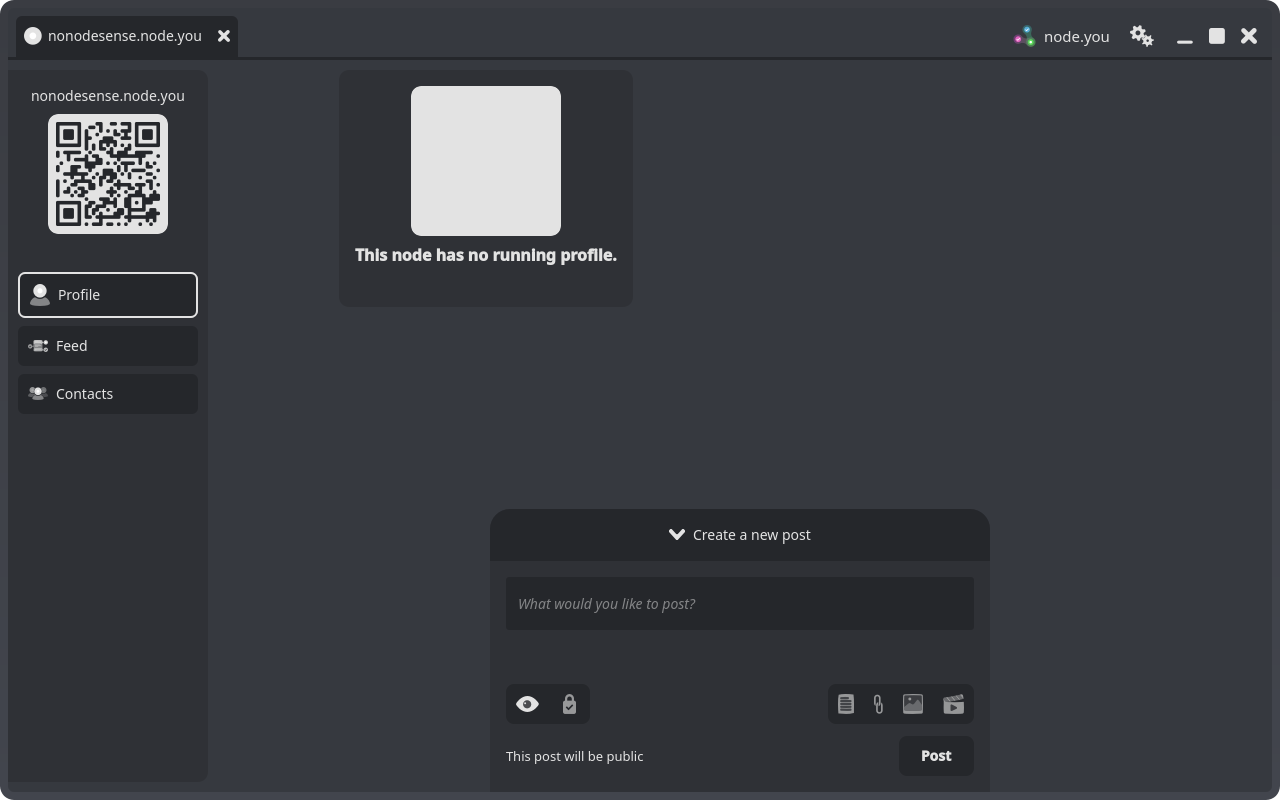
The composer's toggle row reveals the body editor and the attachment panes, and the visibility toggle switches the post between public and private.
Attachments
Posts can include different types of attachments.
 Links Links |
 Images Images |
 Videos Videos |
|---|---|---|
| Specially rendered for emphasis | Supports JPEG, PNG, GIF, and WebP, up to 10 MB each |
Supports MP4, MOV and WebM (server transcoding to H.264/AAC MP4), up to 100 MB |
| Limit 10 per post | Limit 20 per post | Limit 1 per post |
Image and video attachment types cannot be used together in the same post.
Post detail
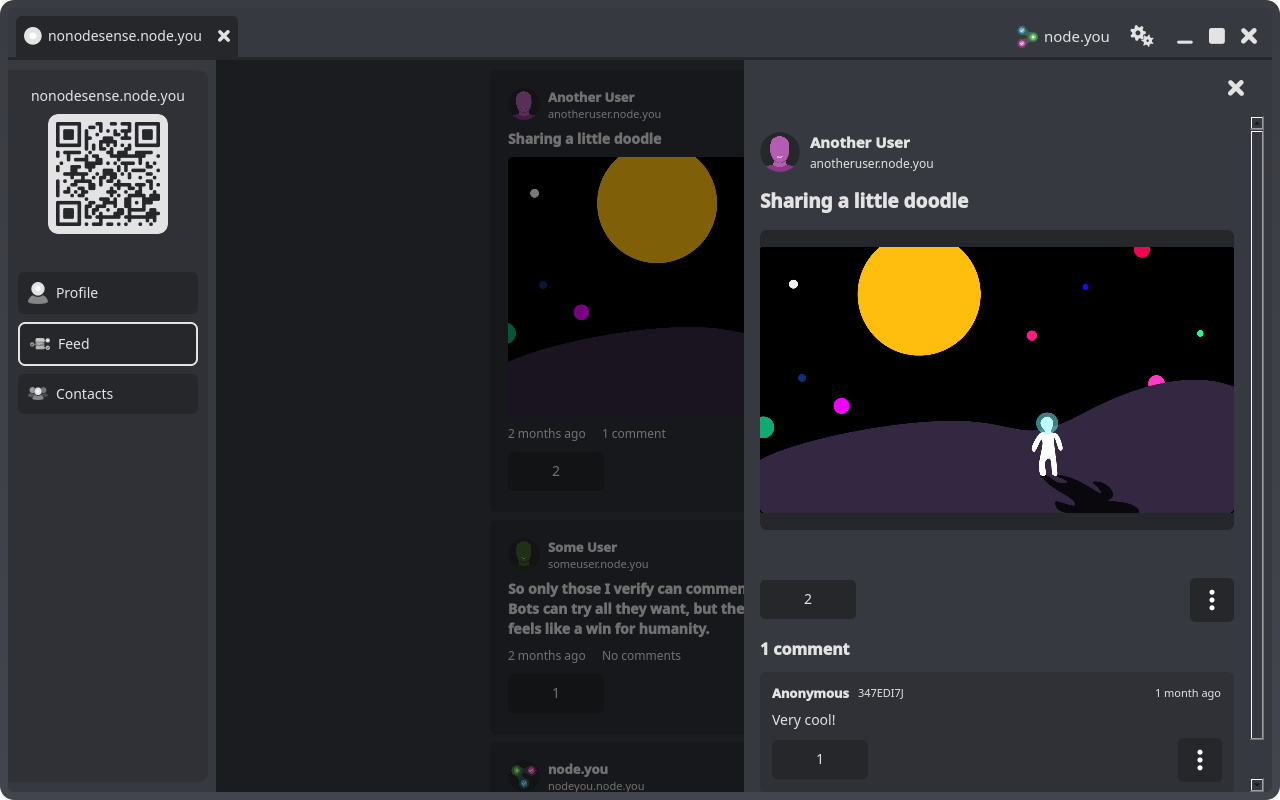
Select any post to open its detail panel: the full Markdown body, image grid or video, link cards, votes, and the comment thread.
Editing and deleting posts
Your own posts carry an options menu (the ⋮ button) with Edit post and Delete post.
Editing changes the title and body. Saving creates a visible revision: the original stays in the post's history so readers can see what changed.

Deleting a post is permanent and removes the post along with its comments and attachments. The app asks you to confirm first.
As the profile owner you can also delete any comment on your posts, from the same options menu on the comment. Reporting and blocking are covered in the feed and contacts guides.
What next?
Consider learning about contacts, who can interact with your posts, or the feed, where your posts reach your followers.