Your aggregated timeline: voting, anonymized comments, and reporting.
Feed - node.you
This guide explains how the feed works: aggregation, voting, comments, and reporting.
Aggregation
Typical social media systems are centralized: you authenticate with a central system and your feed pulls resources from it.
In node.you, each profile runs independently, so the profiles of someuser.node.you and anotheruser.node.you each maintain their own resources.
Your feed is aggregated from all of those that you follow, plus your own profile, merged newest-first.
Post visibility
Your feed is composed of (at least) the public posts of those you follow. Follow someone and their public posts will appear in your feed, with no interaction or notification on their end.
Your feed will only include their private posts if they verify you. Verifying them only means that they would see your private posts in their feed.
View your feed
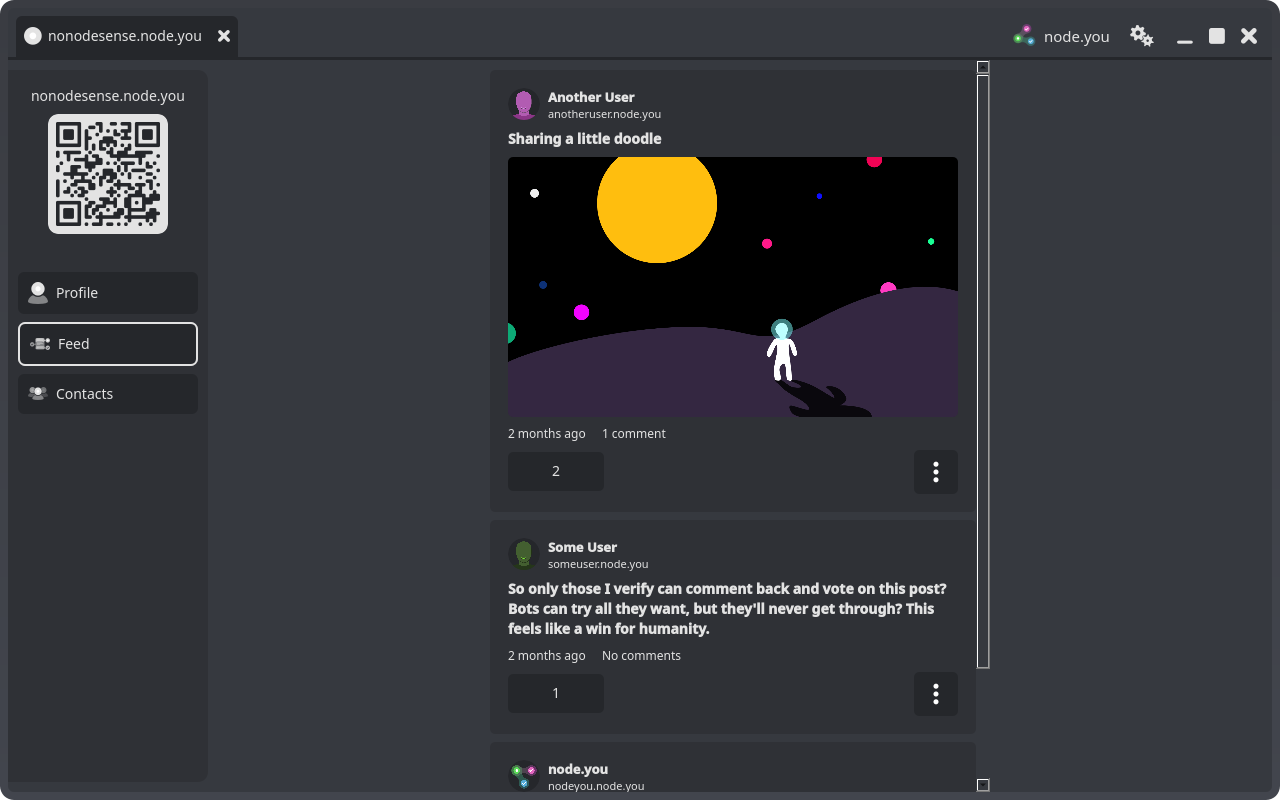
Open your node and select Feed. Select a post to open its detail panel with the full body, attachments, link cards, and the comment thread.
Voting
Every post and comment carries vote arrows. Voting is a verified interaction: you can vote only where the profile's owner has verified you (or on your own profile). Where you can't vote, the arrows are faded, but the score stays visible.
Comments
Select the comment button on a post to write a reply, or reply to a comment directly to start a thread.

Like voting, commenting is only available where the profile's owner has verified you. This is what keeps every thread bot-free; see the profiles guide.
Anonymous by default
Commenters are anonymized by default. Each commenter appears as Anonymous with a short handle that tells commenters apart within a thread.
A commenter's node URL is revealed to you only when that commenter has verified you. Between verified contacts, threads carry real identities; to everyone else, they stay anonymous.

Anonymous handles are different on every profile, so nobody can track a commenter's activity across profiles.
Editing and deleting your comments
Your own comments carry an options menu (the ⋮ button) with Edit comment and Delete comment. Deleting a comment is permanent and removes its replies too.
Reporting content
Any post, comment, or profile that isn't yours can be reported to the host of the profile hosting it: select Report this post, Report this comment, or Report this profile from the options menu.
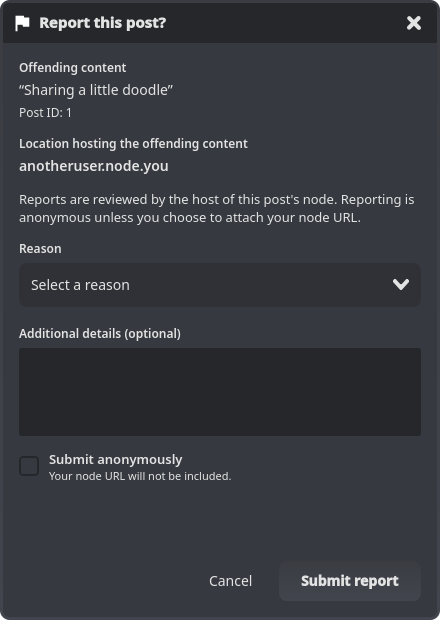
Pick a reason, optionally add details, and submit. Reports are anonymous by default; you can choose to attach your node URL instead.
What next?
Fill out your feed by adding contacts, or launch a profile to post yourself.