Learn how related projects group under one umbrella: promoting, adding members, and how families publish.
Families Guide - Docuriser
Some projects are really several: a platform with a website, an API, and a mobile client, each with its own repository, versions, and docs. Docuriser models this as a project family: an umbrella project fronting a set of members. On the built site, the family gets one page with a member grid, and each member gets its own full project page at /<family>/<member>.
How a family is structured
Family membership is plain data; there is no separate registry. A member is any project whose config names a parent_slug; the project with that slug is the family's root. A root with members becomes the umbrella: an identity-only project (slug, name, tagline, logo) whose page is the member index. Everything build-related (source, README, topics, dependencies, versions, downloads) lives on the members, and the configurator enforces that: with the umbrella selected, only the Project panel is available, and even its facts section is hidden.
In the configurator, a multi-member family opens as one tab with a family bar across the top: the umbrella first (icon only), then a tab per member showing its logo, label, and tagline.
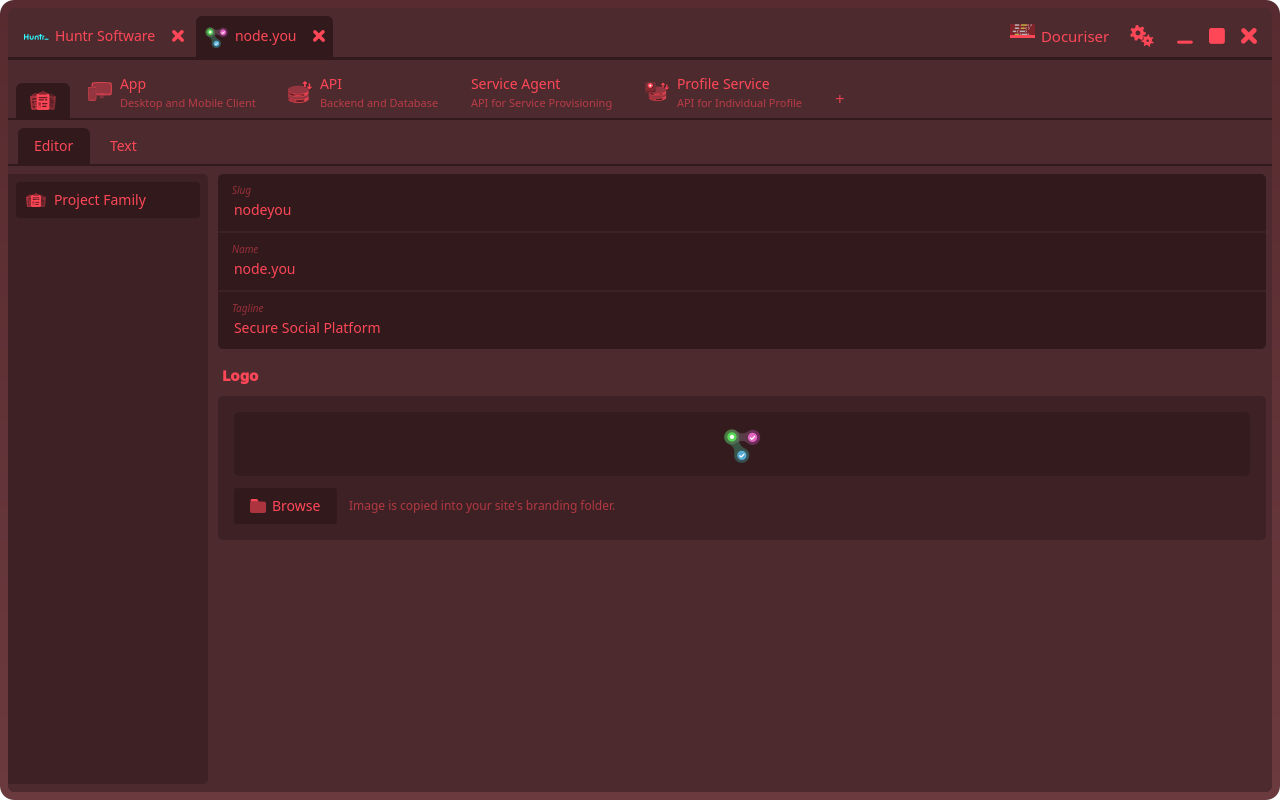
Two optional keys tune the arrangement: family_label is the member's short name in the bar and the member grid (falling back to its name), and family_index: false on a root opts it out of being an umbrella, making it an ordinary switchable member again. See the configuration reference.
Promoting a project into a family
Families usually start as one project that grows. When a lone project needs a sibling, its Project panel offers Promote to Project Family…:
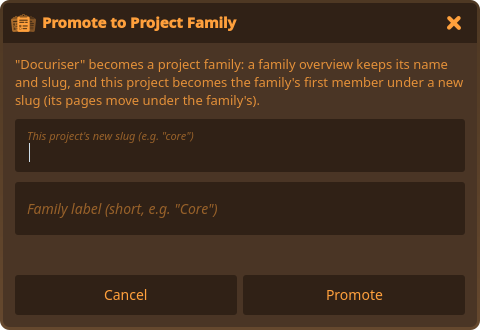
You choose the member slug the existing project will take (e.g. core) and an optional family label; the family itself keeps the project's current identity. Promote then rearranges everything in one atomic step:
- The project's directory is renamed from
projects/<slug>toprojects/<slug>-<member-slug>; its built versions and config-relative paths move with it. - A new identity-only umbrella config takes over the original directory, slug, name, tagline, and logo, so the project's existing URL becomes the family page.
- The original project becomes the first member: it takes the member slug you chose and gains
parent_slug, keeping everything else. - The site's registry is rewritten with both, umbrella first.
The open tab rebuilds as the new two-member family. If anything disqualifies the project (it isn't registered in a site, is already a member, or already has members), the dialog says so instead.
Adding members
The + at the end of the family bar opens the Add Project dialog in member mode (titled "New Project in
Removing
Removing a family from the site's Projects panel is family-wide: the confirm counts the entries, and every member leaves the registry together (files stay on disk, as always). Removing a single member from a family has no panel affordance yet; edit the member's parent_slug out via the Text view, or deregister its entry from the site config.